Front-porching

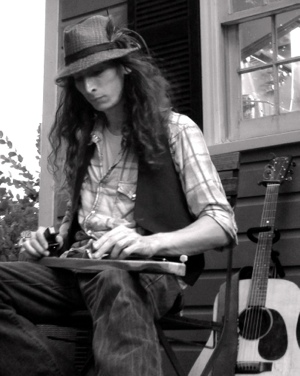
20120804-085139.jpg Some friends were over for drinks and hummos on the porch and we got to talking about photography, blogging, and other creative topics.  The next thing you know, we had spawned 3 web sites between us and taken the next steps in our artistic endeavors.  Thus the origin of the new verb “front-porching”.

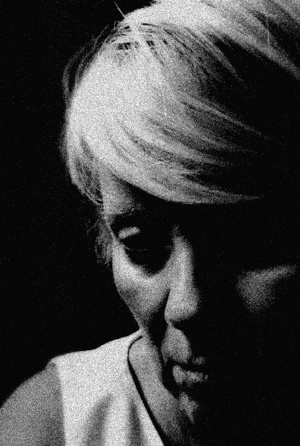
This picture, however, was taken on a completely different front porch, at the Roost in Fearrington Village on a Friday evening, when half the people I know pile up in front of the Roost’s front porch to gnosh and swill and listen to great home-cooked music by the likes of Justin Johnson, above, guitarist extraordinaire.

Taken on iPhone, SimplyB&W for effects.

– theDaily Grunge

Tools of the trade

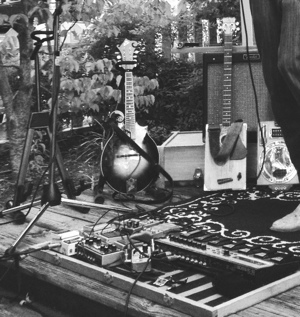
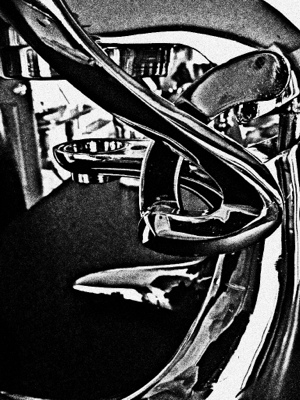
20120804-085610.jpg At a recent outdoor concert, I found myself staring at the multitude of equipment and electronics that went into the solo guitar act I was watching. Such a simple concept – fabulous rhythm and blues from one instrument – and look at all the complexity that goes into it.

Shot with iPhone (what else).  SimplyB&W for effects, Iris PhotoSuite for some cleanup and cropping.

Can someone tell me why it is that a tool that’s supposed to do everything to a photo to make it fabulously B&W doesn’t have a crop feature?  Why does anyone product an app that lacks this essential feature?  Most of us mortals need to crop our pictures. But, I do my work in PaintFX, or SimplyB&W or a handful of others, and then have to go into Iris to crop.  And Iris (let me get up a little higher on my soapbox) has some bug where when you save the picture after a crop, it ROTATES is 90 or 180 degrees.  So then I have to open it in iPhone Photos, and rotate it back.  Which is an extra 2 apps to do what I should be able to do in SimplyB&W.  App developers, please take notice!

Health, wealth, and stealth

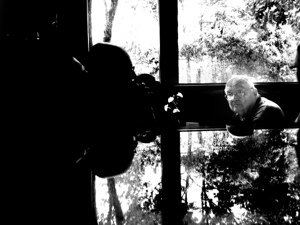
20120812-120735.jpg The reasons for needing the first two (health and wealth) go without explanation. The third, stealth, is necessary for photography.  You simply can’t get pictures of people in public places if you make a big production about it, or (shudder) ask their permission.

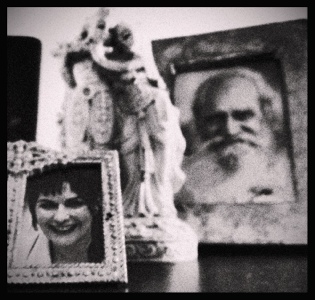
To take this picture, I set the phone down sideways on the table next to me in a restaurant.  The gent at the table across from me was slightly below me, in front of a window, which was reflecting off my table (which I didn’t realize at the time).  Being such a fanatic about pictures with reflections, I nearly jumped up and down when I saw the exposure:  his head sandwiched between two reflective surfaces.

Minor enhancements to deepen the contrast and make B&W.

– the Daily Grunge

Feature Story

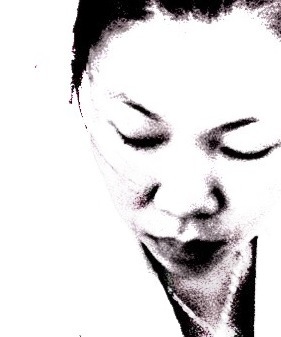
20120715-155349.jpg Lately I’ve been working on facial portraits and started wondering: what makes a face look like a face? How much can you take out and have it still look like a face? I’m not talking about removing features, but rather removing detail. How much contrast/brightness/smoothness do you need to keep?

The answers were predicable but still interesting. You can remove almost everything. Lower the contrast until you see even tone, then brighten it up and increase the contrast. This will remove and “whiten out” most of the detail. And yes, it still looks like a face.

You can crop – a LOT – of a face and it will still be recognizable. But the question I really went for was, at what point does the person stop looking like an individual? At what point do you lose the very characteristics that make someone look different from someone else?

And THAT was fun to work on. In fact, I am doing the same process for many different faces in my portfolio. How abstract can I make the picture before it stops differentiating the features enough to be recognizable. I’m finding that you can smooth out details such as skin tone, and you can even stretch the face a little, and it is still perfectly recognizable. But you must leave the contours intact. With the face above, even if I removed all the shadows on the skin, the subject is recognizable. But as soon as I removed any shadows around her nose, eyes, or mouth, boom. Certainly a face still, but it could be any (young, Asian) woman.

This is the smoothest I could get, and still have a nice picture. All done on the iPhone. And I must say, it was not easy. It took many applications of a brightness tool, in layers, to get the proportions of light to dark. It’s difficult to work this way because once you take the current picture as a layer, you can’t undo it. (This is using apps like Iris and PaintFX.) So I had to work very painstakingly, doing version after version. All very good practice, and I like what I ended up with.

– the Daily Grunge

Look homeward

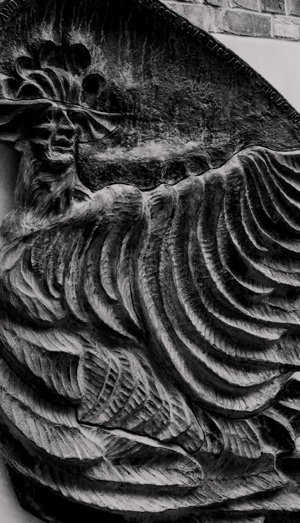
20120730-214326.jpg

Angel sculpture, UNC Chapel Hill campus.  This is a monument to Thomas Wolfe’s Look Homeward Angel, written in North Carolina, and a favorite of mine.  This is a gorgeous bronze bas-relief sculpture tucked away in a corner of the Arboretum .

Iris PhotoSuite for contrast and cropping.

– The Daily Grunge

Review: Simply B&W

Now and then I come across a photo app for the iPhone that is so good I must share it.  I recently saw a review of an app called “Simply B&W” and couldn’t wait to try it out.  It is exactly what the name says:  it does simple black and white processing on any photo.  You can choose something from your library, or take a pic.

Then, there is a limited but quite useful set of processing options:  you can apply a filter (red, green, blue, yellow, orange) to an image; or you can adjust brighness, contrast, and grain.  GRAIN!  Exactly what I’ve been missing the most, with digital.  I used to rely heavily on grain to create all kinds of atmosphere in a print.  I like grain and never considered it to be a flaw in film that had to be worked around.  Now, finally, I can add grain to a digital pic.

Simply B&W is NOT an editing program: it doesn’t have cropping, for instance.  It does one thing and does it well:  take a color photo and turn it into a high-quality black and white photo.  You can then pull that into your favorite editor, such as Iris, to do further work on an image.

Here are some quick pics using Simply B&W:

20120715-180553.jpg

20120715-180655.jpg

20120715-180853.jpg